Play in your browser
Pick Campaign, Skirmish or the Tutorial, then build a base, mine ore, train fighters and destroy the red AI. It is a small slice of the game, and the same engine as the handheld.
Game
This browser cannot run the game. It needs WebGL 2, and yours did not provide it. Try the latest Chrome, Edge, Firefox or Safari with hardware acceleration turned on (in Chrome: Settings, System, “Use graphics acceleration when available”), and make sure graphics drivers are current.
Meanwhile you can watch the game run, install it on a handheld, or read how it plays.
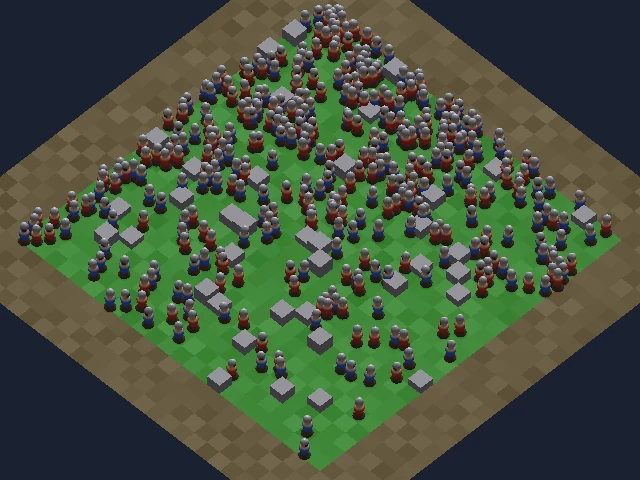
Downloads about 6 MB the first time.
On a phone, turn the device to landscape and use Full screen.
VR, test version (Meta Quest browser): Open the VR test page Stand at a table that holds the whole battlefield, or step into it life-size. It is new and has not been proven on a real headset yet: please tell us what you see.
Controls in this build
Click the game once so it gets keyboard focus. The prototype has a smaller control set than the finished game; the full scheme is here.
- Left click, drag
- Select, or box select. Double-click: all of that type.
- Right click
- Order: move, attack or mine. Shift queues.
- WASD, arrows
- Pan. The screen edge pans too. With units selected A and S are orders.
- Mouse wheel, Tab
- Zoom.
- H or Space
- Jump to your base.
- Q E R F
- Command card slots. Foundry: Mason, Age up, Hero, rally. Barracks: Acolyte, Caster, Seer, and T Breaker.
- B, A, S, H, V
- Build, attack-move, stop, hold, patrol.
- Ctrl+1-9, 1-9
- Set and recall control groups. Shift+digit adds.
- I L U
- Idle Mason, select army, select hero.
- Ctrl+A
- Select everything on screen.
- F1-F4
- Camera positions; Ctrl saves one.
- M
- Show or hide the minimap (top right: click or drag to move, right-click to order).
- P or Esc
- Pause menu.
The full list, with the planned controls for the finished game, is on How to play.
Connect a controller and press any button. The on-screen hints switch to whichever device you used last. Same layout as the handheld.
- Left stick
- Move the cursor.
- Right stick
- Pan.
- A tap or hold
- Select, or paint-select while held.
- X
- Order. With the base selected: train a fighter.
- L1
- Select the army on screen. With the base selected: train a worker.
- Y
- Base and command card.
- B
- Clear the selection.
- R1, Select tap
- Zoom near or far.
- R2 hold
- Queue modifier.
- L2 + A/B/X/Y
- Recall group 1 to 4 (add R2 to set).
- D-pad
- Jump to alert, idle Mason, base, hero.
- Select hold
- Tactical map: A jump, X order, Y ping.
- Start
- Pause menu.
- Tap
- Select, and press the on-screen buttons, menus and minimap.
- Drag
- Box select.
- Hold, or two-finger tap
- Order.
- Two-finger drag
- Pan.
- Pinch
- Zoom.
Best in landscape and in full screen.
What to do
- Click your base, then train a few Masons with Q (or open the Tutorial from the main menu). Workers are the ones with yellow hats.
- Right-click an ore crystal with the workers selected. They mine and carry it home.
- With ore in the bank, build a Barracks (B on a Mason, then E) and train fighters with Q there. Watch the minimap: fog of war hides what you have not explored.
- Select your fighters, then right-click the enemy. Destroy every red building and unit.
Same engine, same rules as the handheld: if you play twice the same way, the same thing happens twice.
Good to know
- It needs WebGL 2. All current browsers have it; software rendering works but is slow.
- Nothing is sent anywhere. The game runs entirely in your browser tab.
- The sandbox modes show the simulation hash in the browser console, the same one the handheld prints.
- Open the plain build page if the embed gives trouble.
The game around the game
The alpha now has menus, a minimap, fog of war, a pause menu, a tutorial and a result screen. These are real screenshots from the web build and the handheld build, at the handheld’s 640 by 480.
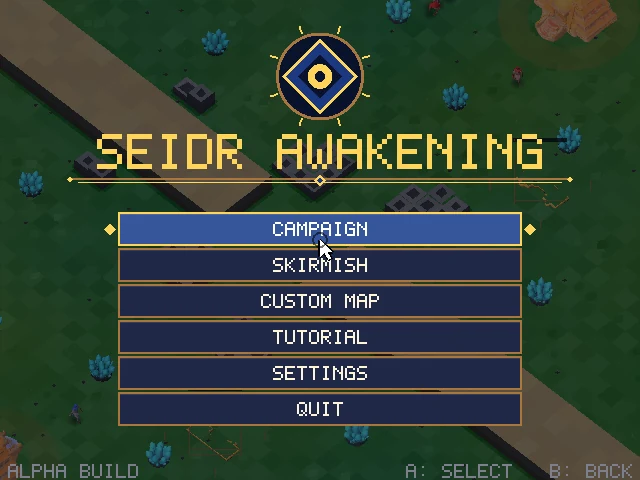
Main menuMain menu. Campaign, Skirmish, Custom map, Tutorial, Settings and Quit, usable with mouse, touch or gamepad. 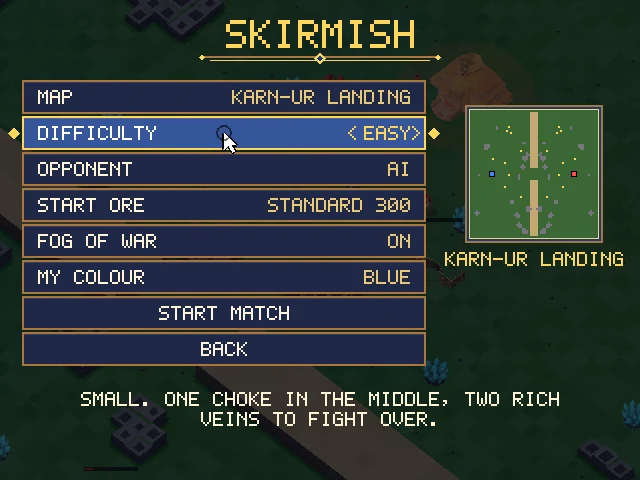
Skirmish setupSkirmish setup. Map, difficulty, start ore, fog of war and your colour; a seed code names the map. 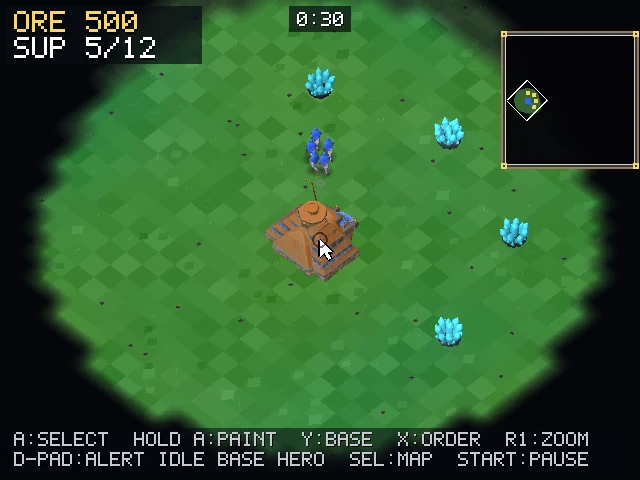
Fog of war and minimapFog of war and minimap, from the handheld build. Only ground your units have seen is lit; the minimap is top right. 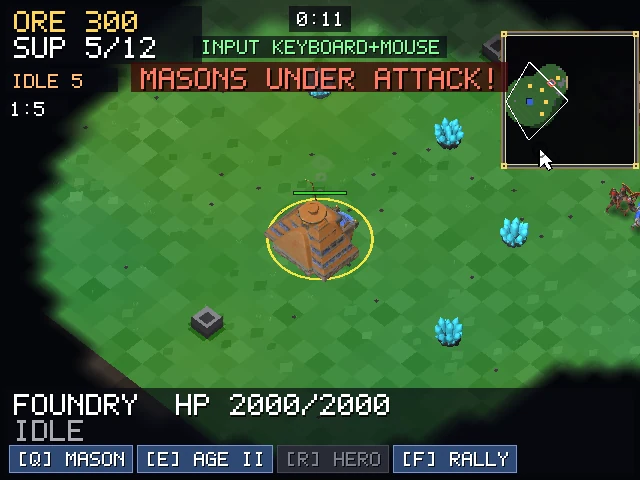
AlertsAn alert banner and a minimap flag when your Masons come under attack. On a gamepad, D-pad up jumps to the alert. 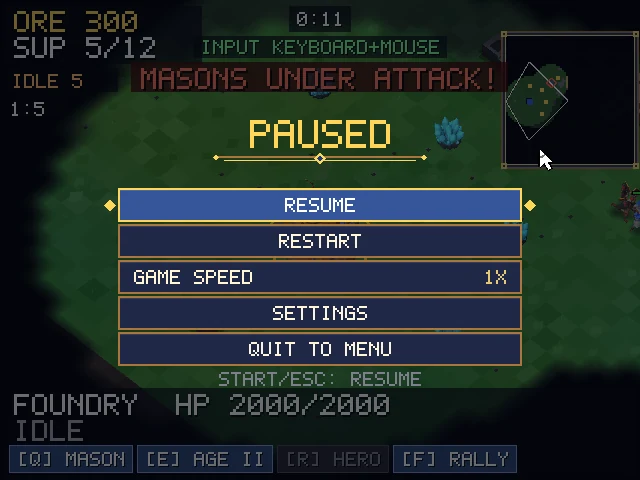
Pause menuPause menu. Resume, restart, game speed, settings and quit to menu: P or Esc, or Start on a pad. 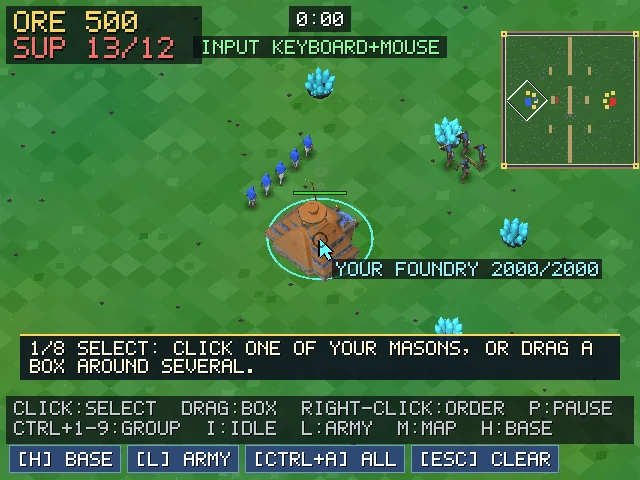
TutorialThe tutorial. A prompt at the bottom says what to do next, and moves on when you have done it. 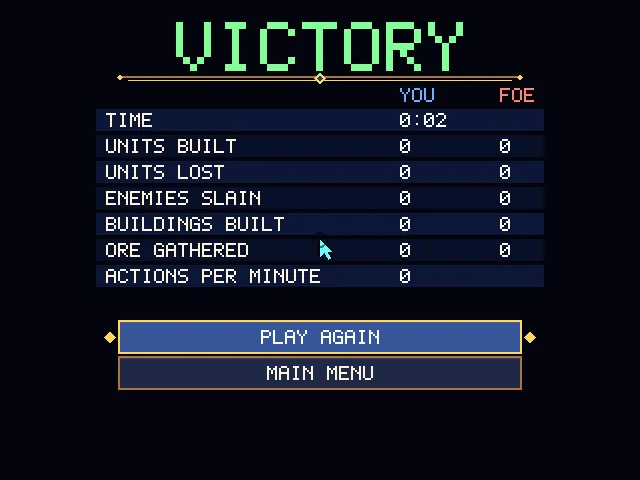
Result screenResult screen. Time, units built and lost, enemies slain, buildings, ore gathered and actions per minute. 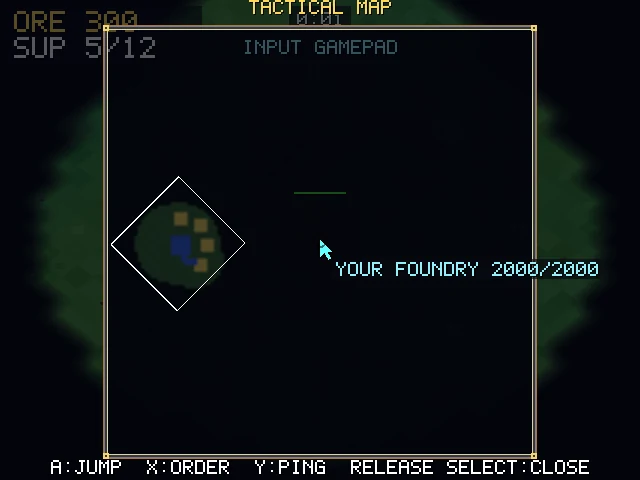
Tactical mapTactical map. On a gamepad, hold Select for a full-screen map: A jumps, X orders, Y pings.
Placeholder terrain and early art. The button layout and the screens are what will stay.
Cannot play right now?
This is the same engine, captured. A Shieldwall Acolyte idles, walks and swings its mace.
Real frames from the build, looped.