
Flora · Google Play closed test
Flora is almost on Google Play. She needs testers first.
Flora is a free Android app that gives your phone a face. She talks with you, learns who you are and remembers what matters. Google lets a new app go public only after at least 12 people have tested it for 14 days in a row. Join the test and help her get there.
How the test works
Join the tester group
On your Android phone, open the Flora tester group. Sign in with the Google account used by your Play Store, then tap Join group and confirm. You may choose “No email”.
Become a tester
Open the Flora test page using that same account and tap Become a tester. If it says unavailable, check the account and try again later; Google may take time to apply your membership.
Install Flora
Follow the Google Play download link and tap Install. If you already have a different version of Flora, keep its data safe; contact us if Play cannot install it.
Stay opted in for 14 days
Remain opted in for at least 14 consecutive days and try Flora on several days. Tell us what works and what does not.
What you need
- An Android phone
- Android 8 or newer. There is no iPhone version.
- Your Play Store Google account
- The address signed in to the Play Store on that phone. Another address cannot open the test.
- A brain for her
- For chat without an AI key, open Setup → Brain and choose Download offline brain (about 2.6 GB; Wi-Fi recommended). Wait for the checksum check, then keep the offline brain switched on. If the saved model needs verification, choose Verify saved offline brain. Local chat works without internet, with simpler answers and no picture understanding or web search. You can instead add your own online AI key; that provider’s usage fees may apply.
What she does today
- Talks with you, by voice or typing.
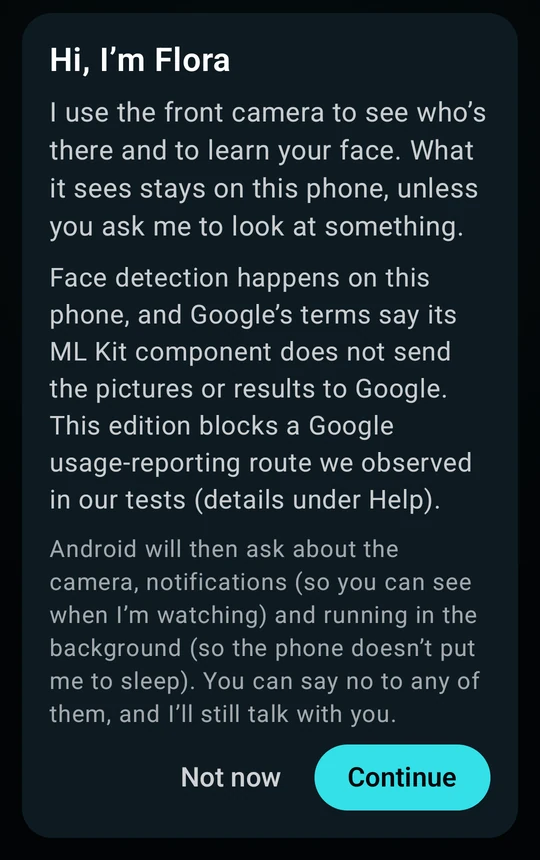
- Learns your face and knows you when she sees you. Her face data stays on the phone.
- Remembers what you tell her. Read or forget any memory in Setup › Memory.
- Looks at something when you ask, and your AI service tells her what it is.
- Reminders, by time or by place.
More to come.
Join the test
Use the same Google account for both steps. If you are already on our tester list, go straight to step 2.
3. Install and open Flora. After opting in, follow Google Play’s download link and tap Install.
4. Choose how she answers. For chat without an AI key, open Setup → Brain → Download offline brain. Use Wi-Fi for the 2.6 GB download, wait for its check to finish, then return to Flora and tap Type to try a message. Camera, microphone and face setup are separate from this typed-chat check. Need help? Contact us.
Questions
I have an iPhone. Can I join?
Not yet, sorry. Flora is Android only, Android 8 or newer.
What does it cost?
The test and the app are free. Local-model chat uses no AI key and incurs no AI-provider inference charge. The model needs about 2.6 GB of phone storage and an initial download; your data charges may apply. Optional online chat, vision and voice services can use your own provider account and its fees. Downloading the offline brain does not switch off a configured online brain: the online brain is normally tried first, with offline as a fallback.
What data do you keep?
Google manages the group and Play test membership. The privacy note below explains more. What the app keeps stays on your phone; the Flora page explains what she sends, and where to.
How do I leave the test?
Open the test link again and tap Leave the program. You can also leave the Google Group in your membership settings. Uninstalling alone does not remove your test membership. To ask us to remove a previous signup, use the contact page.
I already have Flora from your website.
Your existing Flora version may not be compatible with the Play Store version. Keep your existing app and its data; if Play cannot install, contact us before uninstalling anything.
Your sign-up, plainly
Google manages your group membership and Play test opt-in. Seidr Labs can see group members and uses the list to manage the test. You can leave the group and the Play test separately. If you previously sent us the signup form, those details remain on our server and a copy was sent as a private notification. We delete them when the beta ends, or you can ask us to remove them. Old messages are removed automatically after 12 months. See our privacy policy.